The Cultivation Upgrade
Spreadsheets vs. PhenoLog: Why Cultivators Need Mobile-First Tracking
Spreadsheets were never built for a humid grow room and a gloved hand. Here is why tap-first mobile tracking beats pinch-zooming a tiny cell.
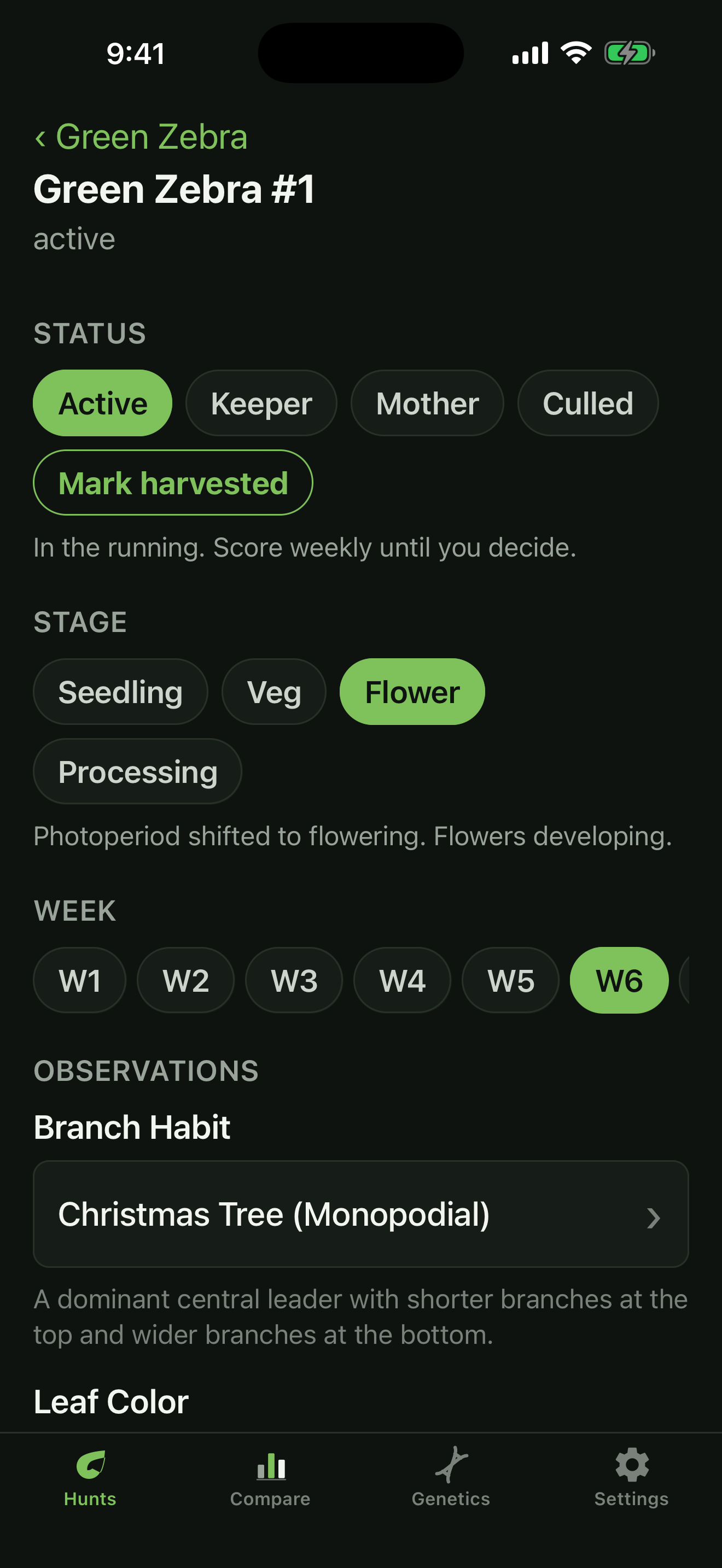
Almost everyone starts tracking a hunt in a spreadsheet. It is free, it is familiar, and for the first week it feels organized. Then you are standing in the room with one gloved hand, a phone in the other, trying to pinch-zoom into a cell the size of a grain of rice to type 7.5 into the right row. You give up, tell yourself you will fill it in later, and later never comes.
Spreadsheets are a fine tool for the wrong job. They were built for a desk, a mouse, and a keyboard. A grow room is none of those things. If your tracking only happens when you are back at the computer, it is already too late, because the observation you needed was the one you made standing in front of the plant.
Why spreadsheets fail in the room
Three things break a spreadsheet workflow the moment you carry it into a grow space.
Typing is the enemy. Every number is a pinch, a zoom, a tap into a tiny cell, and a fiddly decimal point. Do that across twenty plants and you stop doing it. The friction is small per plant and fatal across a hunt.
Your hands are not free. You are moving plants, checking trichomes, adjusting lights. One-handed input is the only kind that happens reliably, and a spreadsheet is a two-handed tool at best.
The structure drifts. A column you named “smell” in week two becomes “aroma” in week five, and a tab per plant turns into a mess no one wants to compare. By harvest the data is inconsistent, which is the one thing that makes a hunt comparison worthless.
What mobile-first actually means
Mobile-first is not a spreadsheet shrunk down to fit a phone. It means the inputs were designed for a thumb in the first place. Instead of pinch-zooming into cells, you tap.
Set a pheno to Active. Tap its stage, seedling, veg, flower, or processing. Tap the week. Tap a score on a scale. Most inputs are a single touch on a big, clear target. When a metric does need an actual number, you get a full number pad, not a cell the size of a grain of rice that you zoom into and miss.
That difference sounds small until you multiply it by every plant, every week, across a whole hunt. The app you can actually use in the room beats the powerful tool you only touch at your desk.
Everything in one place, already structured
A spreadsheet starts empty and you impose structure on it, badly, under time pressure. A purpose-built tracker comes structured. Every pheno is numbered, every hunt holds one cultivar, and the same fields show up every week so nothing drifts.
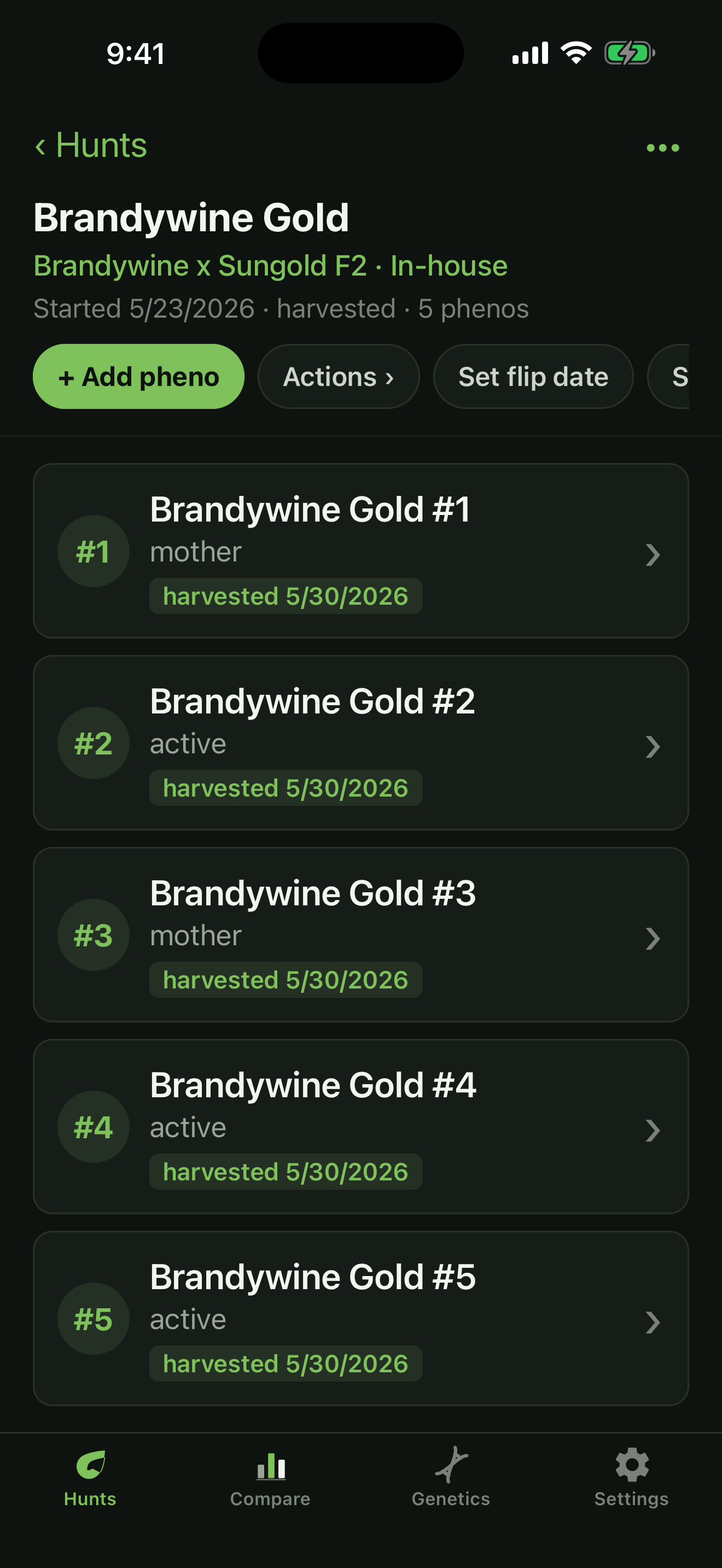
Because the structure is consistent from the start, the data is comparable at the end. That is the whole point. You are not tracking for the sake of tracking. You are tracking so that when the batch finishes, the standout is obvious instead of a debate.
The payoff comes at harvest
Here is what consistent, mobile-first tracking buys you. When the hunt is done, you can line every pheno up against every trait and see the winner immediately. A spreadsheet can hold the same numbers in theory, but only if you actually entered them, every plant, every week. In practice you did not, because the tool fought you.
The best tracker is the one that gets used. In a humid room with one free hand, that is never going to be a spreadsheet. Tap to log, keep it consistent, and let the finish line do the talking.
Find your keeper.
PhenoLog keeps every pheno, score, and observation in one place and lines them up, so the standout is easy to see. Free to start.
Get it on the App Store